Guide · Magento 2.4.7+
How to use CSP Manager for Magento
After the module is installed, use these Magento Admin screens to add a storefront CSP host, confirm it is in the policy, and see who changed a rule. Cache Management also lists a dedicated Paradise CSP Rules type.
- Open CSP Manager
- Add a whitelist rule
- Confirm the host in Policy Inspector
- Review the Audit Log
- Flush Paradise CSP Rules cache
Need the zip and CLI commands first? Install CSP Manager for Magento.
1. Open CSP Manager
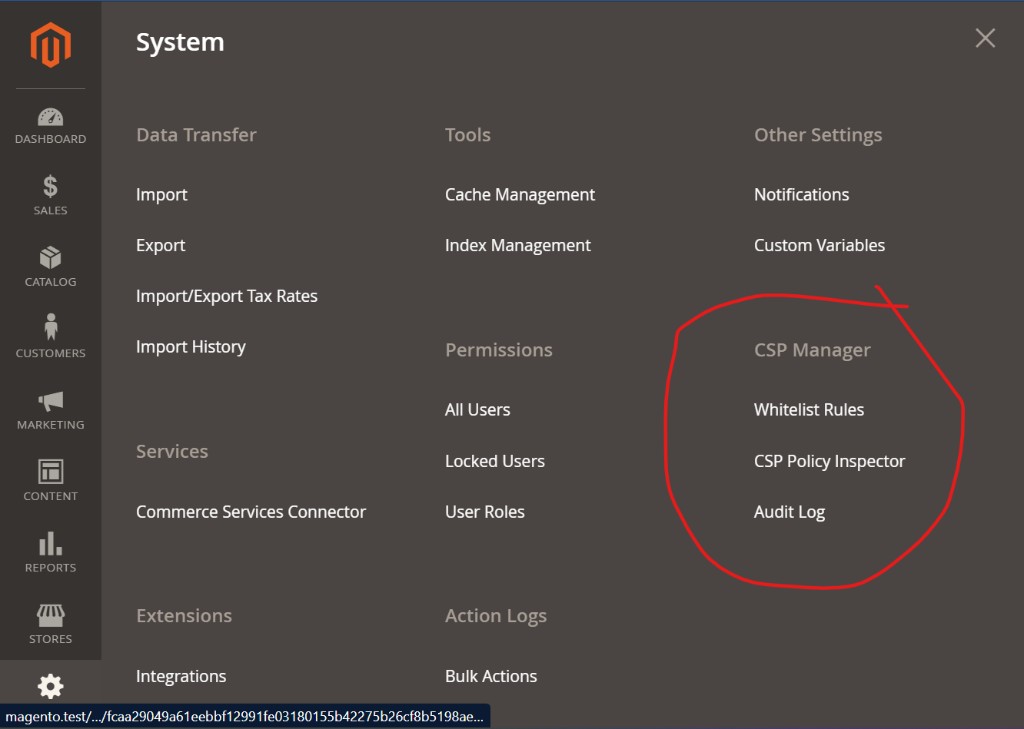
In Magento Admin, open System. Under Other Settings you will see CSP Manager, with three screens:
- Whitelist Rules — add, edit, enable, or disable storefront CSP sources
- CSP Policy Inspector — see the merged policy for a store view
- Audit Log — see who added, edited, or deleted a rule, and when
2. Add a whitelist rule
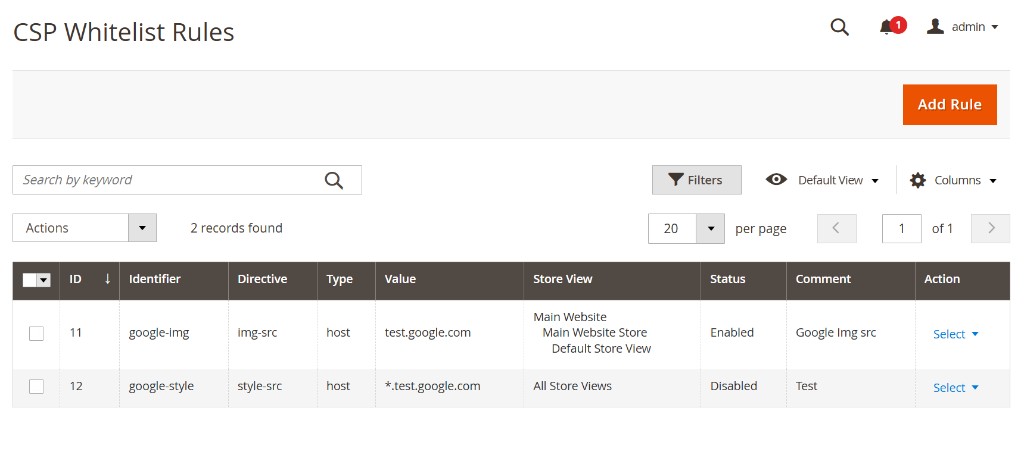
Open Whitelist Rules. This grid is the list of every rule you have added from Admin. Click Add Rule in the top right.
Fill in the fields, then save. Each row is one CSP source:
| Identifier | A unique name for the rule, such as google-img. |
|---|---|
| Directive | The CSP directive, such as script-src, img-src, style-src, or connect-src. |
| Type | host, hash, or scheme. |
| Value | The host (cdn.example.com or *.example.com), a sha256-…= hash, or a scheme such as https. |
| Store View | All Store Views, or only the storefront views that need this host. |
| Status | Enabled or Disabled. Disable a rule to take it out of the policy without deleting it. |
| Comment | Optional note for other admins, such as why the host was added. |
To change a rule later, open the Select menu on that row. Use the search box or Filters if the grid is long.
The form blocks risky values such as 'self', 'unsafe-inline', 'unsafe-eval', and *. Those belong in developer-owned XML or Magento config, not in this Admin form.
3. Confirm the host in Policy Inspector
Open CSP Policy Inspector and choose the store view you just scoped the rule to. The inspector shows the storefront policy Magento will actually send: Magento’s own XML entries plus the Admin rules you added.
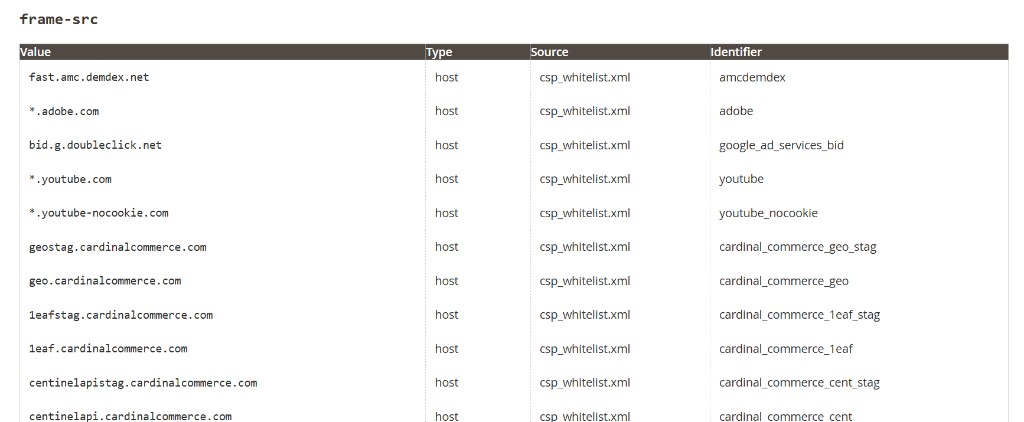
Find the directive you used. Check that your host is in the Value column. If it is missing, go back to Whitelist Rules and confirm the directive, value, store view, and that Status is Enabled.
You cannot delete Magento’s built-in entries from this screen. The inspector is a view of the merged policy, not an editor.
4. Review the Audit Log
Open Audit Log when you need a record of who changed a whitelist rule.
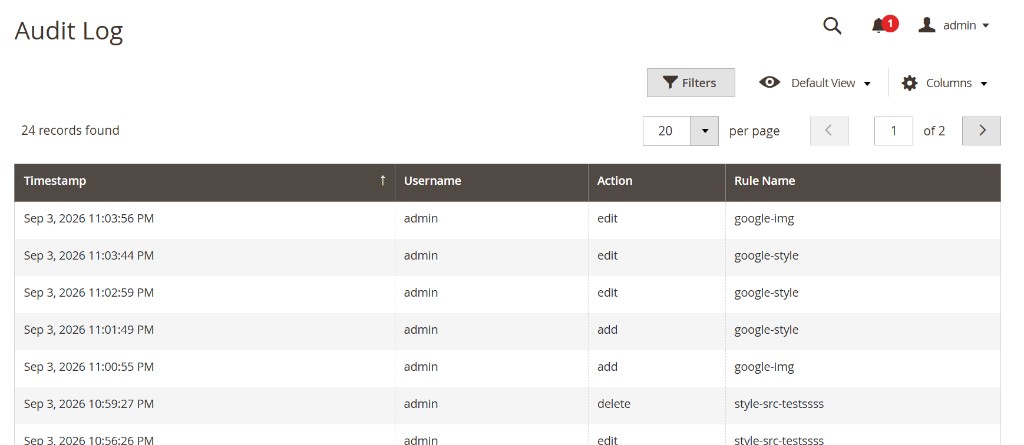
Use Filters to narrow the list, Columns to show or hide fields, and the page controls if there are many records. The log is read-only.
5. Flush Paradise CSP Rules cache
Open System → Cache Management. After install, Magento lists a cache type named Paradise CSP Rules. The description is Admin-managed storefront CSP whitelist rules, and the tag is PARADISE_CSP_RULE.
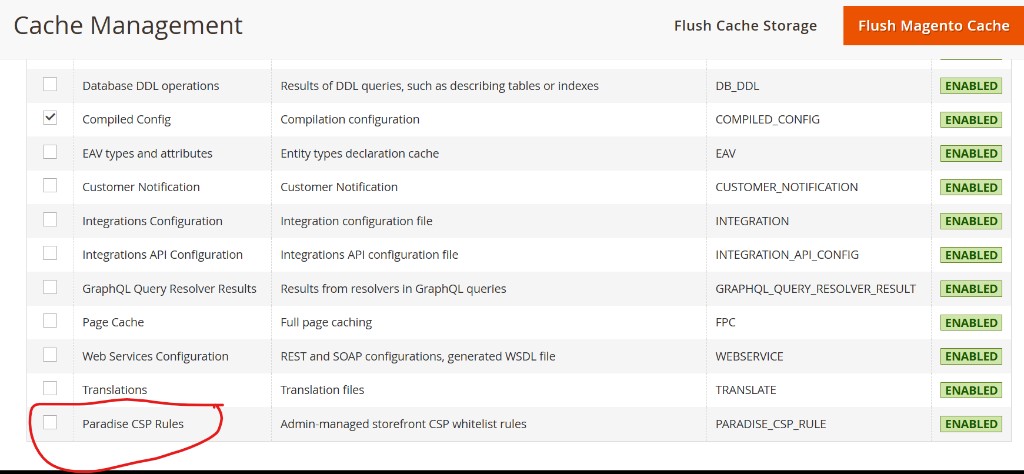
Saving, editing, enabling, disabling, or deleting a whitelist rule flushes this cache automatically. You usually do not need to flush by hand after you save a rule.
If the storefront still sends the old policy, select the Paradise CSP Rules row, open Actions, and choose Refresh. That updates Admin rule data without clearing every Magento cache. If the store uses Full Page Cache, refresh Page Cache as well. The new CSP header is sent on the next uncached page request.
From the command line you can flush only this type with bin/magento cache:flush paradise_csp_rule.