Adding a new payment provider or analytics tag to your storefront shouldn't require a developer and a deployment. CSP Manager for Magento lets merchants and admins add Content Security Policy whitelist entries right from the Admin panel. No editing csp_whitelist.xml, no code changes. For how Magento 2.4.7 changed checkout CSP, see the Magento 2.4.7 Content Security Policy guide.
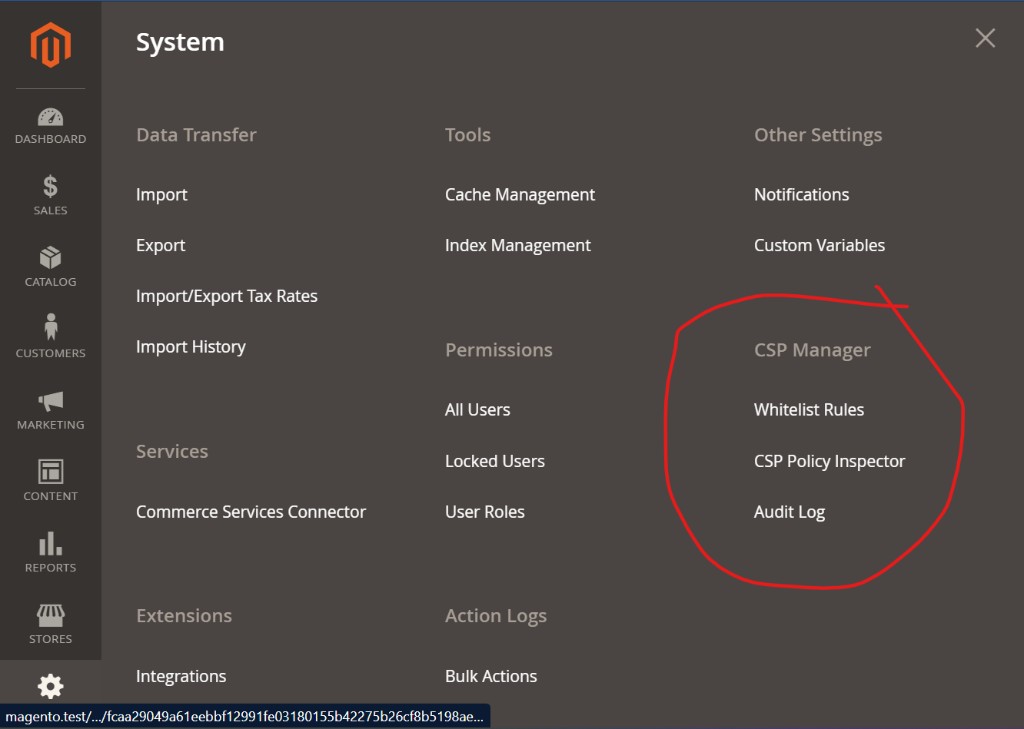
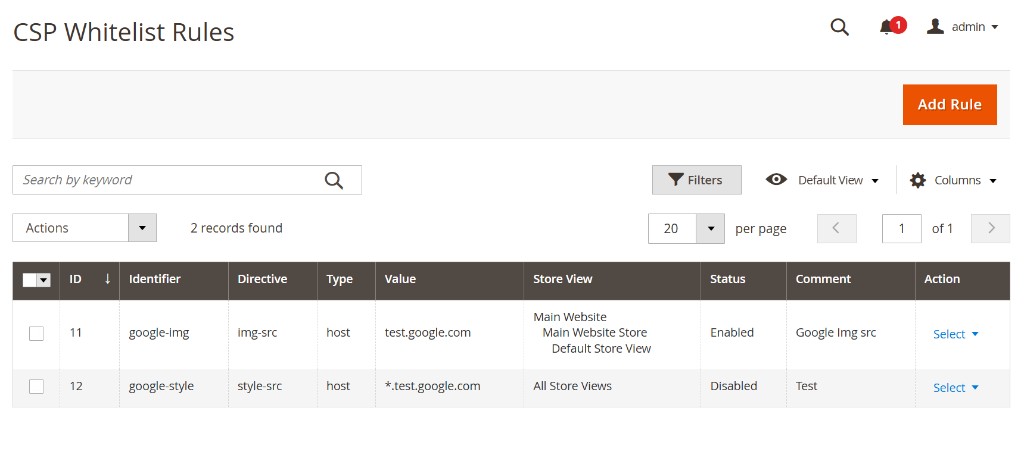
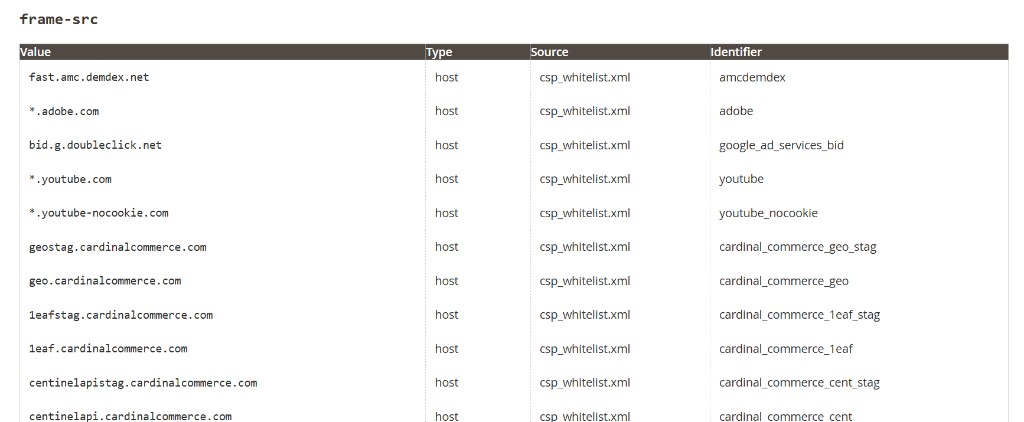
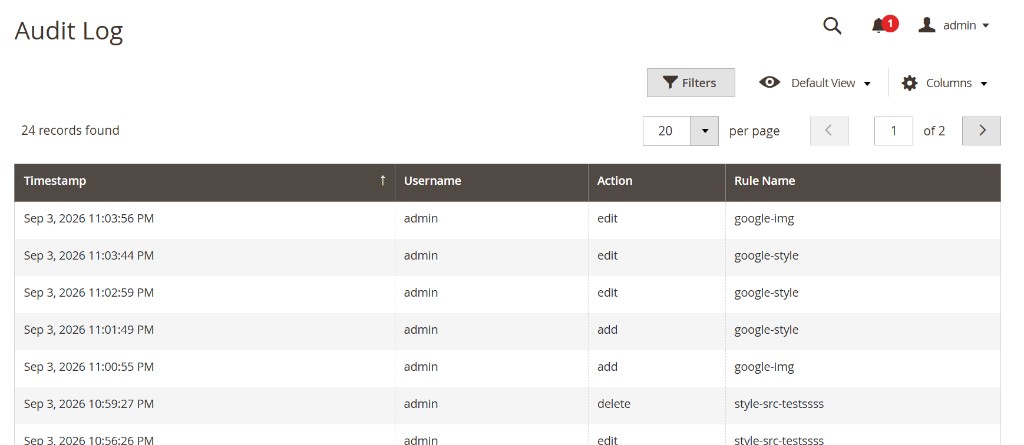
Create rules for directives like script-src or connect-src, add the hosts, hashes, or schemes they cover, and scope them to all store views or just the ones you need. Three Admin tools make it easy: a Whitelist Rules grid for managing entries, a Policy Inspector showing how your rules merge with existing policy per store view, and an Audit Log tracking every change.
Your existing CSP setup stays untouched. This just adds Admin-managed sources on top, merging cleanly rather than overriding anything. Risky values like 'unsafe-inline' or wildcards are blocked automatically, keeping security decisions where they belong.
The result: new integrations in minutes, not deploy cycles, without compromising the CSP your developers built.
What you get
- Whitelist Rules grid Add CSP whitelist rules through the Magento Admin panel, and apply each rule to all store views or to specific ones.
- CSP Policy Inspector See which storefront CSP sources are in use for a store view, including Magento’s built-in ones and the rules you added.
- Audit Log See who added, edited, or deleted a whitelist rule, and when that change happened.
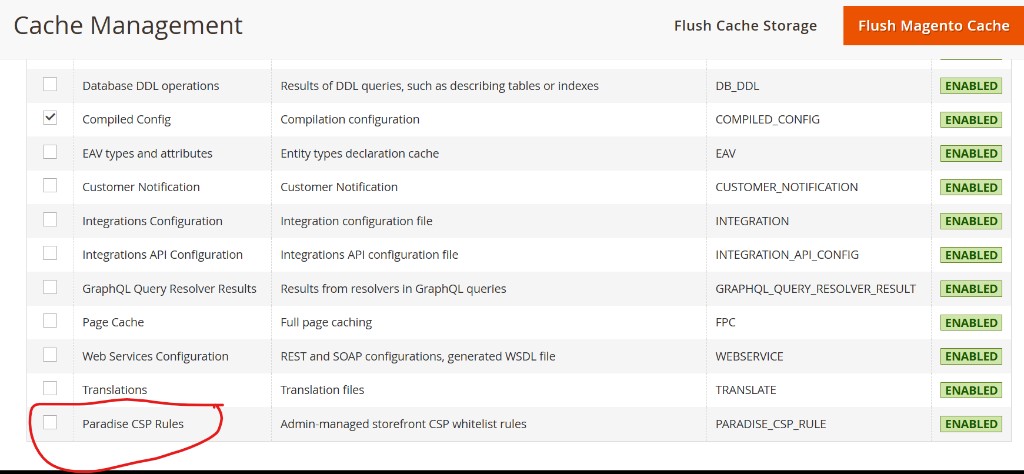
- Paradise CSP Rules cache Magento Cache Management lists a dedicated type for Admin whitelist rules, so you can refresh them without clearing every other cache.
- Adds to Magento Your rules are added on top of Magento, so the existing whitelist is not replaced.
What this does not do
- Admin panel CSP This module is for the storefront. It does not change the Magento Admin panel’s own CSP.
- Magento’s own rules You can add rules, but you cannot delete whitelist entries that come from Magento or other modules.
- Report-only vs restrict Magento still controls that setting. This module does not collect CSP violation reports.
What you need
| Magento | Open Source or Adobe Commerce 2.4.7+ |
|---|---|
| PHP | 8.1+ |
| License | A use license. See license terms. |
| Install | Install steps |
FAQ
How is this different from just editing csp_whitelist.xml myself?
csp_whitelist.xml requires a developer to create or edit a module file, then deploy and flush cache before a new host takes effect. CSP Manager moves that into Magento Admin: a Whitelist Rules grid where any admin user can add a host, hash, or scheme to a directive and have it live immediately, scoped to specific store views if needed — no deploy.
I've seen free CSP whitelist modules on Packagist/GitHub. Why pay for this one?
Several free options exist and work fine for a basic list of hosts. CSP Manager adds three things most of them don't: a Policy Inspector that shows the exact merged policy per store view (Magento's built-in entries plus yours, so you can confirm a fix actually worked without checking response headers by hand), an Audit Log of who changed what and when, and automatic blocking of risky values like 'unsafe-inline' or wildcards so opening this up to non-developer admins doesn't create a new security hole.
Does this fix Google Tag Manager / Stripe / [other service] being blocked by CSP?
Yes — that's the exact use case. If a browser console shows a Refused to load or Refused to connect error for a third-party script, style, image, or API call, add that host to the relevant directive (usually script-src, connect-src, or frame-src) through Whitelist Rules, then confirm it in Policy Inspector. See the Magento 2.4.7 CSP guide, the GTM CSP guide, and the Stripe CSP guide for how Magento 2.4.7 treats checkout and those two integrations.
Will this replace or override the CSP rules my developers already set up?
No. Rules you add through Admin merge with your existing csp_whitelist.xml entries rather than replacing them. You also can't delete Magento's or another module's whitelist entries from this screen — only add to them. Developer-owned CSP stays intact.
Does this change my Magento Admin panel's own CSP?
No. CSP Manager only manages the storefront policy. Admin panel CSP is untouched.
Does this collect CSP violation reports?
No. Magento's report-only vs. enforce setting is unaffected — this manages the whitelist itself, not violation reporting.
What Magento versions and PHP versions does this support?
Magento Open Source or Adobe Commerce 2.4.7+, PHP 8.1+.
Does it work with Adobe Commerce Cloud / multi-store setups?
Rules can be scoped to all store views or specific ones, so multi-store and multi-website setups are supported. On Adobe Commerce Cloud, install the module in the project the same way as any other app/code package and deploy it once. After that, whitelist changes are made in Admin and do not need another Cloud deploy.
Will this slow down my storefront?
No added runtime lookups on the storefront request path beyond Magento's normal CSP handling — rules are served through a dedicated Paradise CSP Rules cache type, so they can be refreshed independently without clearing every other cache.
What happens if I disable or uninstall the module?
Disabling the module removes only the Admin-managed rules from the merged policy; your existing developer-owned csp_whitelist.xml entries are untouched and continue to apply.
How do I install it, and what do I get after purchase?
A zip file is emailed after purchase. See the install docs for the CLI steps.